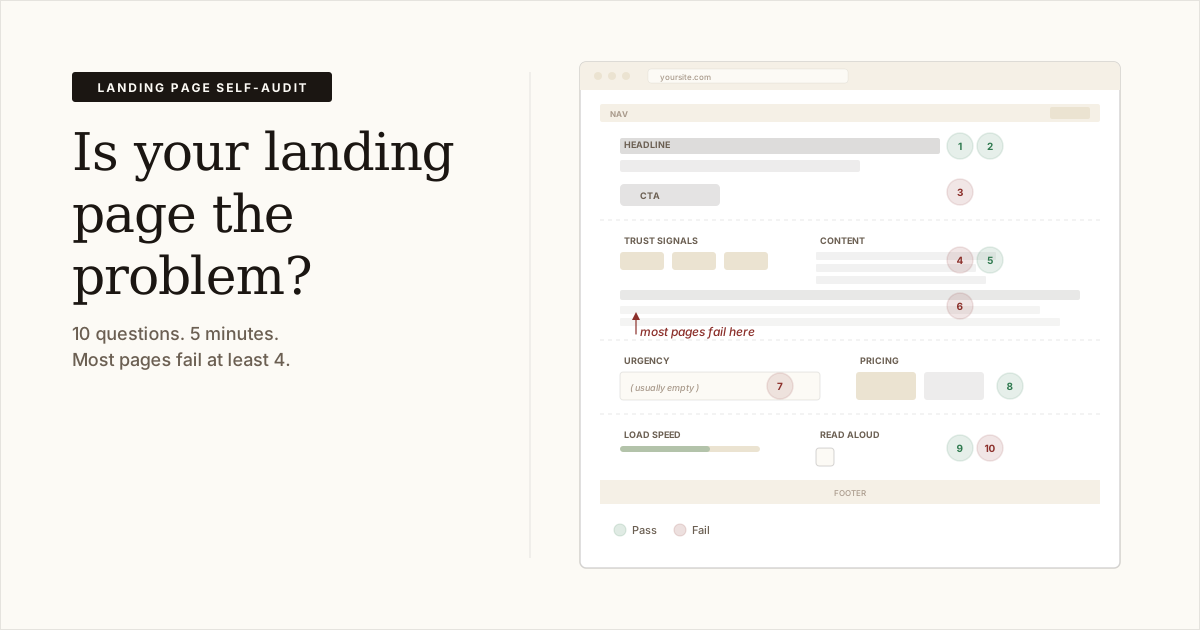
People are showing up. But they're not buying. You've been staring at the page too long to see what's wrong.
Open your landing page. Answer these 10 questions. Each one has a pass/fail and a fix you can make today.
1. Can a stranger tell what you do in 5 seconds?
Open your page. Read only the headline and the first line below it.
Could you explain what this product does to someone who has never heard of it?
When we audited 10 real SaaS landing pages, the average score was 36 out of 100. A pattern in most of the ten: headlines that describe the company instead of the product. Stripe's headline said "Financial infrastructure for the internet." That tells you nothing about why you should care.
Pass: A stranger could repeat back what you sell after reading your headline.
Fail: Your headline uses your category name, your company name, or abstract words like "platform" and "solution" without saying what the product actually does.
Fix: Rewrite your headline to finish this sentence: "We help [specific person] do [specific thing]." If you can't fill in both blanks with real words, your headline is too vague.
2. Does your page answer "why should I care?" above the scroll line?
Your visitor won't scroll unless the headline, subhead, and one visual give them a reason.
Pass: The top of your page names a problem your buyer already knows they have, or states a result they want.
Fail: The first screen is a logo, a navigation bar, and a headline about your company.
Fix: Put the buyer's problem or the outcome they want in the first two lines a visitor reads. We wrote a full guide on what belongs at the top of your page if you want to go deeper.
3. Is there one clear button, and does it say what happens next?
Count the buttons and links visible on your first screen. If there are more than two, your visitor has to choose before they even know what you do. Most will leave instead of choosing.
Pass: One button. The label says what the visitor gets when they click it ("Start a free trial," "See pricing," "Watch the demo").
Fail: Multiple competing buttons. Or a button that says "Get started," "Learn more," or "Submit" with no context.
Fix: Pick the one action that matters most. Make that the button. Remove or move everything else below the scroll line.
4. Would a stranger trust this page enough to enter their email?
Most SaaS landing pages give visitors nothing to trust. In our audit study, Framer (a company that makes design tools) scored 0 out of 10 on trust. A design company with no visible proof that anyone uses the product.
Count the trust signals: customer logos, testimonials with real names, review scores, a count of users, press mentions, security badges, a real photo of the founder.
Pass: You have at least two forms of proof that other people use and like your product.
Fail: No proof that anyone uses the product. Or proof that looks fake (stock photos, unnamed quotes, round numbers like "10,000+ users" with no source).
Fix: Add the most specific proof you have. "Used by 847 teams" beats "used by thousands." A screenshot of a real tweet beats a made-up quote. If you're pre-launch and have no users yet, show the founder's face and a line about why you built this. Our trust signals guide covers the full list.
5. Can a visitor understand your page without reading every word?
People scan: headline, subheads, bold text, button. If those don't tell a story on their own, your page doesn't work for 80% of visitors.
Pass: Read only your headlines and subheads top to bottom. You can follow the argument without touching the body text.
Fail: Your subheads are decorative ("How it works," "Features," "Pricing") instead of making a claim.
Fix: Rewrite each subhead as a sentence that makes a point. "Features" becomes "See every error on your site in one dashboard." The subhead should do real work even if the body text disappears.
6. Does your page have too many ideas?
A landing page has one job: get the visitor to take one action. Every extra section gives the visitor a reason to hesitate.
Pass: You could summarize what the page is asking the visitor to do in one sentence.
Fail: The page covers three different audiences, links to a blog, promotes an ebook, and has a chatbot pop-up.
Fix: Pick one audience and one action. Move everything else to a different page. There are seven root causes behind pages that don't convert, and too many ideas is one of the most common. Our guide to why pages don't convert covers all seven.
7. Is there a reason to act today instead of "later"?
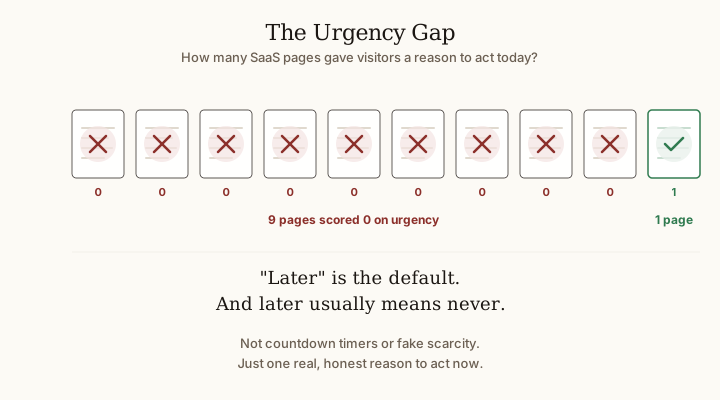
9 out of 10 SaaS pages in our audit study scored 0 on urgency. They didn't need countdown timers or fake scarcity. They just gave visitors no reason to act now. "Later" is the default, and later usually means never.
Pass: Your page gives a real reason to act now. A price that's going up, or a time-sensitive problem the visitor already has.
Fail: There's no reason to act today. Your page will look the same in six months.
Fix: Find a true deadline or a real cost of waiting. If your product helps people fix something that's losing them money every week, say that. "Every week your page stays the same, you're paying for traffic that doesn't convert." More on this in our urgency guide.
8. Is your pricing clear, or does the visitor have to hunt for it?
If someone has to click "Contact sales" or "Request a demo" to find out what you charge, you've lost every solo founder and small-team buyer. They'll leave and find a competitor who posts prices.
Pass: Pricing is on the page or one click away, with no form required.
Fail: "Contact us for pricing." Or pricing so complicated (five tiers with 30 feature checkmarks each) that it takes longer to parse than the rest of the page.
Fix: Put your price on the page. If you have tiers, keep it to three or fewer. Make it obvious which tier is for the visitor reading right now.
9. Does your page load fast enough that visitors don't bounce?
If your page takes more than 3 seconds to load on a phone, a chunk of your visitors are gone before they see anything.
Pass: Open your page on your phone using mobile data (not wifi). It loads and you can read the headline within 3 seconds.
Fail: You see a white screen or layout shifts before the content appears.
Fix: Run your URL through Google's PageSpeed Insights. Focus on the "Largest Contentful Paint" number. If it's over 3 seconds, your page is too slow for mobile visitors. Start here: compress your images and lazy-load anything below the first screen.
10. Have you read your page out loud in the last month?
This is the test most founders skip. Open your landing page and read every word out loud.
Where do you stumble or hear something your customers would never say?
Pass: You've done this recently and made changes based on what you heard.
Fail: You haven't read your own page out loud since you launched.
Fix: Read it out loud right now. Mark every line that sounds wrong. Rewrite those lines the way you'd explain your product to a friend.
Score yourself
Count your passes.
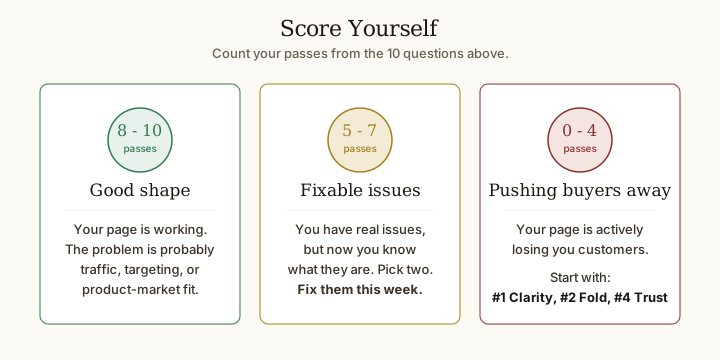
- 8-10: Your page is in good shape. The problem is probably traffic, targeting, or whether people want what you're selling, not the page itself.
- 5-7: You have real issues to fix, but you know what they are now. Pick the two that will make the biggest difference and fix them this week.
- 0-4: Your page is actively pushing buyers away. Start with questions 1, 2, and 4 (headline, top of page, and trust). Those three fixes will have the most impact.
Want a second opinion?
Paste your URL into ConversionProbe. You'll get a score out of 100, your biggest conversion killer, and specific fixes to try. Free, no signup required. The pro audit is $7 during beta ($29 after), one-time payment.